
About MyBudgetManager
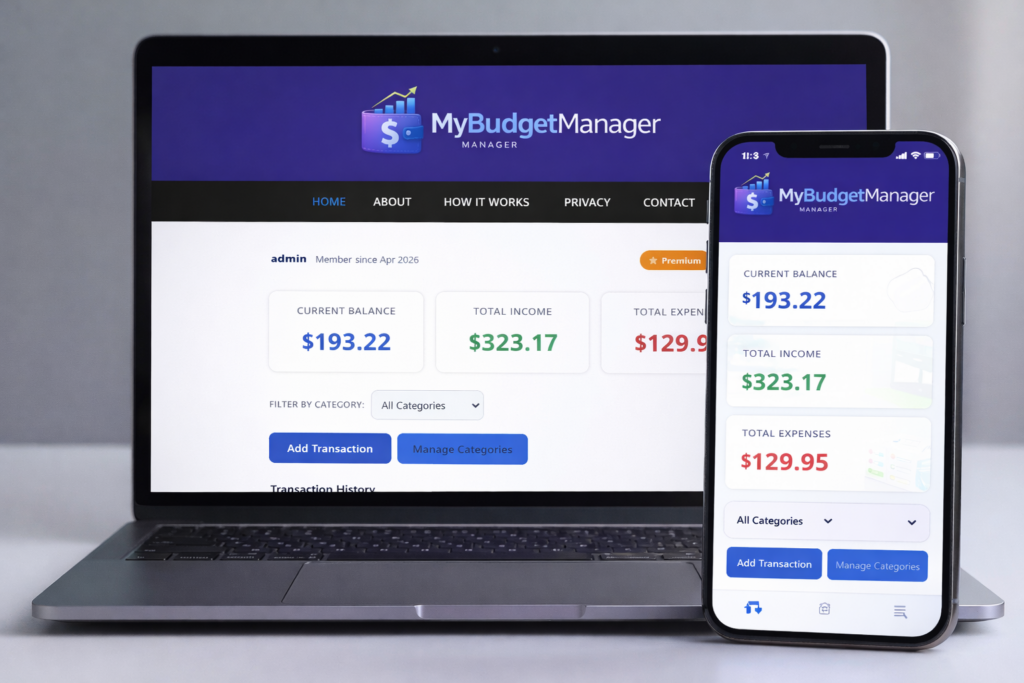
MyBudgetManager is a lightweight, privacy‑first budgeting tool designed to help you track your income, expenses, and monthly balance — without giving up control of your data. It’s part of a growing suite of simple, focused tools built with a single philosophy: useful software should respect your privacy.
Why This Tool Exists
Most budgeting apps require accounts, syncing, cloud storage, or subscription fees. Many collect analytics, track behavior, or store your financial data on remote servers. MyBudgetManager takes a different approach — everything runs directly in your browser, and your financial data stays on your device.
No tracking. No analytics. No unnecessary data collection. Just a clean, private space to understand your money.
Built for Simplicity
The goal is to make budgeting fast and stress‑free. Add income or expenses, see your totals update instantly, and review your history at a glance. No clutter, no ads, no distractions — just the essentials.
MyBudgetManager is intentionally minimal so you can focus on what matters: staying in control of your finances.
Privacy‑First by Design
Your budgeting data — income, expenses, categories, and history — is stored entirely on your device using localStorage. None of your personal financial information is ever sent to a server.
For premium users, the system stores only the minimal information required to verify your upgrade (such as a purchase token). This never includes your budgeting data. You remain in full control of your information at all times.
Part of a Growing Suite
MyBudgetManager is one of several privacy‑focused tools designed to help you organize your life without being tracked, profiled, or monetized. Each tool in the suite is built to be fast, clean, and trustworthy — software that works for you, not against you.
Thank you for using MyBudgetManager. If you have feedback or ideas for improvement, feel free to reach out — this project is always evolving.